A favicon is a small image or icon that is associated with a particular website. It’s usually displayed on the browser tab next to the title. A favicon can be used as a shortcut to navigate back to the main page of the site, save time by making it easy to identify the webpage in your bookmarks or tabs, and even provide a unique visual cue.
<!DOCTYPE html>
<html lang="en">
    <head>
        <meta charset="UTF-8">
        <title>My Website Title</title>

        <!-- This is where we include the favicon -->
        <link rel="icon" href="/path_to/your_favicon.ico">
    </head>

    <body>
        <h1>Welcome to My Website</h1>

        <p>This is a simple webpage with a favicon.</p>
    </body>
</html>
The favicon is specified in the HTML document’s head using the <link> tag. The rel attribute stands for “relationship”, while the href attribute points to the image file of your choice (typically .ico format).
Here’s a simple example (Base code):
<link rel="icon" href="/path_to/your_favicon.png">
For Example in hsEducations.com
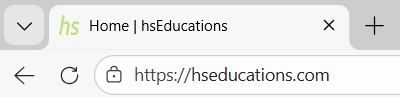
 is Favicon image.
For more modern browsers that support SVG favicons:
<link rel="icon" type="image/svg+xml" href="/path_to/your_favicon.svg">
And if you want a favicon specifically for iOS devices (not necessary but highly recommended):
<link rel="apple-touch-icon" sizes="180x180" href="/path_to/your_favicon_ios.png">
Frequently Asked Questions
What is a favicon? How does it relate to web development?
A favicon is an icon that’s displayed next to the title of a webpage in a browser tab. It serves as a shortcut for identifying and remembering the website, often displaying a logo or company name. Favicons are essential in web development as they provide a consistent visual cue across different platforms and browsers.
How do you add a favicon to your website?
You can use the tag in the head section of your HTML document, with the ‘rel’ attribute set to “icon” or “shortcut icon”, and the ‘href’ attribute pointing to the image file. For example, .
What are some common formats for favicons?
Some commonly used formats include .ico (used by most browsers), .jpg or .png, and also SVG format. The SVG favicon is a more modern choice as it’s resolution-independent.
How can you test if your favicon is being displayed correctly?
You can do this by opening the webpage in different browsers and check if the favicon appears next to the title of the webpage. Also, open it on different devices or operating systems to see if they display the favicon properly. Checking your site with a tool like Favicon.io will help ensure that the file path is correct and the icon can be loaded by the browser.
What are some best practices for creating and using favicons?
It’s recommended to use an SVG format for favicons, as they scale well on various platforms without loss of quality. Additionally, ensuring your icon is 32×32 or 16×16 pixels in size is a good practice since most browsers display them at these dimensions by default. Make sure the file path to your favicon image is correct and accessible from all locations where the webpage might be accessed.